
SlideDeck: the house-style guardian within PowerPoint

SlideDeck: the house-style guardian within PowerPoint

Branded PowerPoint template for your organisation.
Build uniform presentations yourself, quickly and easily, with this template tool.

With SlideDeck, everyone works with the right material and in the right house style

You will no doubt recognise it: every colleague has their own home-made PowerPoint, everyone finds something different 'nice', and the house style is interpreted differently by everyone. SlideDeck turns the chaos into consistency.
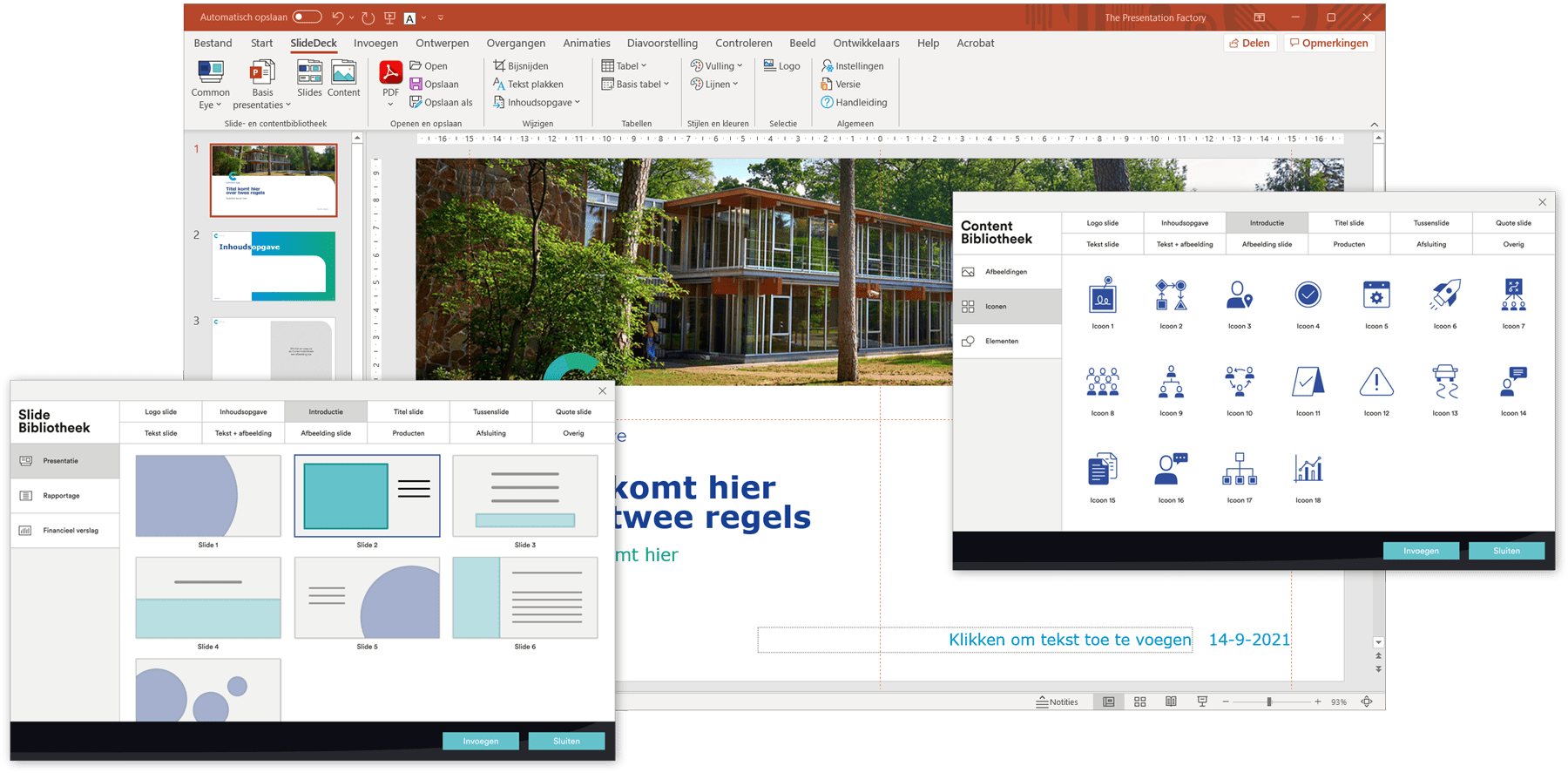
SlideDeck is a PowerPoint add-in that manages and organises your presentations, slides and imagery, so that you can easily create visually attractive and well-structured presentations with it. By placing it all in one clear screen, you never lose anything again and only ever make powerful presentations.
Do you also want every presentation to have the same professional look, in your company's house style? Then request your demo now.

SlideDeck delivers much more than a PowerPoint template

Uniformity in style & layout
Built-in tools make it easy to stick to the house style. Use the content library to add photos, icons and elements. Everything is, of course, developed fully to measure according to your preferences.
Save loooads of time
Pre-arranged, professional presentations, made entirely to measure. And tailored to your needs and house style. In a few clicks you can also choose and add slides yourself.
Handy for presentations & derived documents
Besides creating powerful presentations, you can format any document in the house style via SlideDeck. Use the PDF function to export your file or hand-outs and then send them on.
Special extras
Switch easily between different entities, and so between multiple companies or house styles, add a fully automatic table of contents, or change your preferred language. SlideDeck has it all!

Our approach step by step

Need more than a template for your company?

Book a conversation and we'll show you the benefits of SlideDeck.

Q&A

Answers to your most pressing questions

Can someone else open SlideDeck presentations?

The presentations you create with SlideDeck are 100% editable in PowerPoint, even without the SlideDeck add-in.

Can I edit the images in the content library myself?

You can update or refresh the images in the content library yourself.

Can everyone continue working on the presentation themselves afterwards?

Absolutely. You receive a fully editable PowerPoint file, so you can easily adjust content or add slides yourself afterwards.

What is the difference from a standard PowerPoint template?

A template gives you one starting point. SlideDeck adds a dynamic slide and content library on top of that, plus automatic house-style safeguarding.

Can I manage the base presentations myself?

You can add or adjust a base presentation yourself in the relevant folder. When you adjust or add a presentation here, it appears immediately under the base presentations button. You'll get an explanation of this once SlideDeck is delivered.